

do lcd screens wear out
Sep 30, 2024
Leave a message
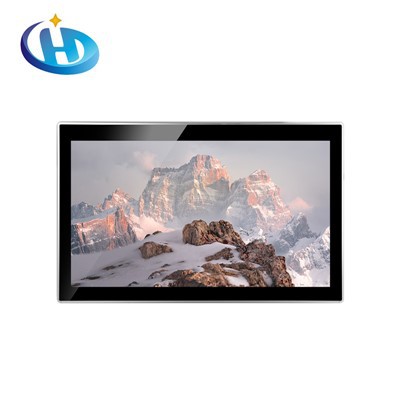
LCD (Liquid Crystal Display) screens are a type of display technology widely used in various electronic devices, such as monitors, televisions, and mobile phones. Its working principle is to control the transmission of light through the arrangement changes of liquid crystal molecules under the action of an electric field, thereby displaying images. Common LCD types include TFT, IPS, SLCD, etc. [[5]](https://www.huahuo.com/changshi/zhinengcs/2019-07-29/65572.html).
2. Reasons why LCD screens wear out
- Backlight aging
- LCD screens require a backlight to provide light. Common backlight sources include cold cathode fluorescent lamps (CCFL) or LEDs. As time goes by and the frequency of use increases, the brightness of the backlight will gradually decrease. For example, the phosphor in the CCFL backlight will be consumed as the usage time increases, resulting in a decrease in luminous efficiency, making the screen look darker. Although the LED backlight has a relatively long life, it will also produce light decay due to long-term operation, affecting the display effect of the screen.
- Changes in the properties of liquid crystal molecules
- The arrangement and properties of liquid crystal molecules may change under the action of long-term electric fields. Frequent switching of the screen or long-term display of fixed images (such as long-term display of static desktop icons or fixed menu interfaces) may cause the polarization of liquid crystal molecules to increase, causing changes in display parameters such as screen contrast and color accuracy. For example, color deviation may occur, and the originally bright colors become dim or color-biased.
- Aging of polarizers
- Polarizers are an important component of LCD screens, which are used to control the polarization direction of light. In daily use, polarizers will gradually age due to environmental factors such as heat, humidity, and ultraviolet rays. Aging polarizers will cause the contrast of the screen to decrease, and the picture will look blurry.
III. Performance of LCD screen wear
- Reduced brightness
- Due to the aging of the backlight source, the most obvious manifestation is the decrease in screen brightness. This may make it difficult to view the screen content in a bright environment, and the screen brightness needs to be adjusted higher, but too high brightness will consume more power and may cause greater irritation to the eyes.
- Color distortion
- When the characteristics of liquid crystal molecules change or the polarizer ages, the color performance of the screen will be affected. Color shifts may occur, such as white becoming yellowish and red becoming dim. This color distortion will affect the viewing experience of images and videos, especially for professional users who have high requirements for color accuracy, such as photographers, designers, etc.
- Longer response time
- As the use time increases, the response time of the LCD screen may become longer. Response time refers to the time required for liquid crystal molecules to switch from one state to another. Longer response time will cause the screen to have more smearing. When displaying dynamic images (such as video playback or games), smearing will make the picture look unsmooth and affect the visual effect.
4. How to slow down the wear of LCD screens
- Reasonably set the screen brightness
- Avoid setting the screen brightness too high. In indoor environments, the screen brightness can be adjusted appropriately according to the ambient light. Generally speaking, medium brightness can meet the needs. Too high brightness will not only accelerate the aging of the backlight source, but also consume more power.
- Avoid displaying a fixed screen for a long time
- If you do not use the screen for a long time, it is best to set a screen saver to let the screen display dynamic images. For devices that need to display for a long time, such as information display screens in public places, the display content can be changed regularly to avoid the liquid crystal molecules being in a polarized state for a long time.
- Control the use environment
- Try to avoid exposing the screen to high temperature, high humidity or strong ultraviolet light. High temperature will accelerate the aging of electronic components, high humidity may cause moisture damage to the inside of the screen, and strong ultraviolet light will affect the performance of components such as polarizers. You can use a sunshade to reduce the impact of ultraviolet rays, and use a desiccant in a humid environment to keep the area around the device dry.
V. Conclusion
LCD screens do wear out during long-term use, which is determined by their internal structure and working principle. However, by understanding the causes and manifestations of wear and taking corresponding mitigation measures, we can extend the service life of LCD screens and maintain good display effects. At the same time, with the continuous development of technology, the manufacturing process of LCD screens is also constantly improving, and future LCD screens may have greater improvements in life and performance.