


Industrial touch screen monitors are designed and tested for harsher environments making them much more rugged, compared to typical "office" monitors. They are designed to withstand prolonged shock & vibration, a wide temperature range, and protection from water and dust. All of our monitors can be panel mount, or VESA mounted, depending on your application.
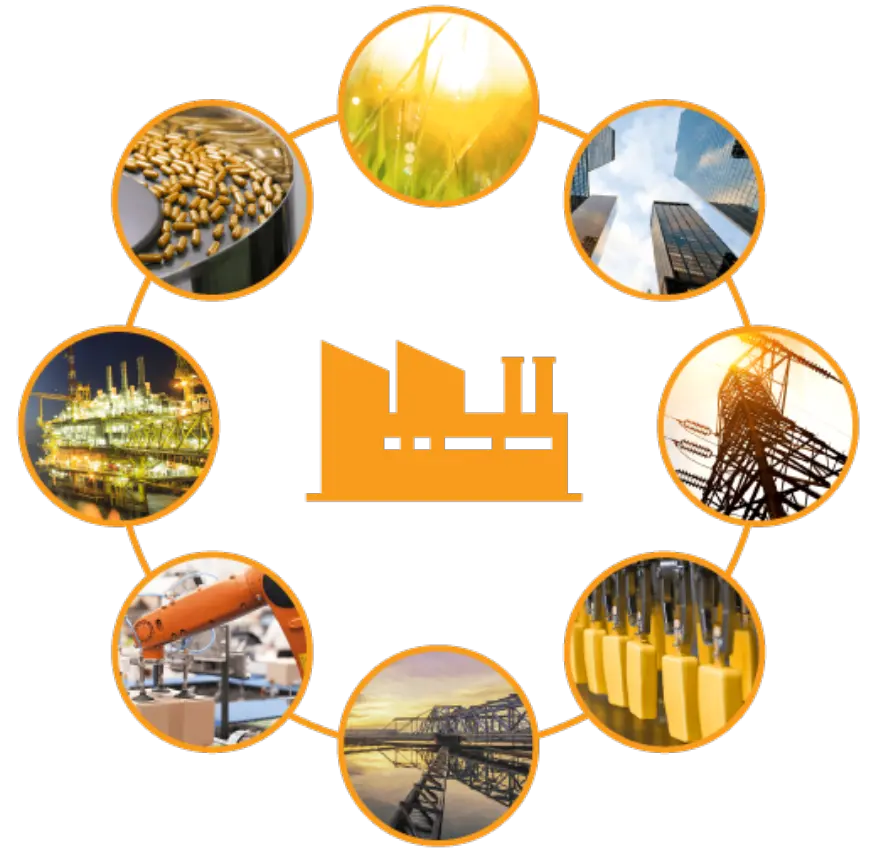
Our high brightness/sunlight readable monitors are ideal for applications in Industrial Automation, Healthcare, Finance/Banking, Education, Gaming/Entertainment, Home Automation, Retail, and Transportation, and pair easily with our Box PCs and Headless HMIs. All our monitors allow you to use gloves and act as touchscreens, reducing the need for a keyboard and mouse allowing for maximum freedom when designing a system.
From factory floor to the cloud, our products provide the solutions to meet your needs
Real-time monitoring and trending of system performance, efficiency and output allows your company to predict problems before they occur. Scheduled maintenance is not easily forgotten when staff receive an email or message on their mobile phone providing notification of the exact operation to be performed. From changing a filter to lubrication, to full system tests that may be years apart, let our solutions provide the peace of mind you need.
Our industrial automation and networking solutions offer connectivity, monitoring, and control across many applications. Learn more about the industries we serve and discover why more and more companies are choosing HDF Technology .
Advantages of Industrial Touch Screen Monitor
Shenzhen HDF Technology Co., LTD., founded in 2013, is a high-tech enterprise integrating research and development, production, sales and engineering services.
Engaging and Interactive
Industrial touch screen monitors have engaging user interfaces. So, operators can manipulate machines and control systems with no hassle at all.
Touch screen technologies eliminate the need for conventional input devices such as keyboards and mice. This makes the workstation clutter-free and easy to navigate.
Easy Cleaning and Maintenance
Industrial touch screen systems are often very convenient to keep clean. A microfiber cloth can remove fingerprints or scratch marks.
Along with screen touch technology, an airtight case made of solid plastic is necessary. It will prevent dust, water, and other substances from entering and damaging the internal parts.
Improved Efficiency
Touch screen monitors enable end users to get the information they need with their fingertips instantly.
Furthermore, touch screens utilize more straightforward movements like pinch, pan, or zoom to provide users with easy navigation.
Increased Accuracy
Computers with touch screens enhance data accuracy by making data entries through fingers.
This eliminates the possibility of miskeying errors for manual data entry into a computerized system.
Enhanced Maintenance and Diagnostics
Maintenance is an integral part of manufacturing. Industrial touch screen displays improve the efficiency and effectiveness of maintenance tasks.
They do diagnostic measurements in a real-time mode. It allows the operators to find a problem instantly and make the required corrections.
Durability
Rugged touch screen monitors operate in the most demanding work environments. They are made of robust, tough, commercial-grade materials with a tamper-resistant seal and protection against dust, dirt, and grime.
Versatility
The touch screens are available in a range of sizes and resolutions, which results in their versatility for a wide variety of applications.
Based on the specific application, they can be installed on walls, desks, countertops, or even in areas with limited space.
Reliability
Industrial touch screens serve 24 hours, seven days a week, in industrial environments, in three-shift systems.
For ticket purchases, industrial Touch screen displays work in public places like train stations. These touch screens offer an accurate user service interface 24/7, even if staff do not attend to them.
Reduced Labor Costs
The impact of the touch screen monitors thus gives rise to productivity and leads to an increase in profitability.
In contrast, an increase in efficiency reduces the number of staffs, thus leading to labor cost savings.
Types of Industrial Touch Screens
Touch screens aren’t a recent invention. Throughout the years, numerous types of touchscreen displays and monitors have emerged, propelling them into widespread popularity. They come in diverse configurations, each designed for specific purposes and tailored to suit particular circumstances. Here are eight of the most commonly used:
1. Surface Capacitive Touch Screen
A Surface Capacitive Touch Screen is a type of touch-sensitive display technology that relies on the electrical properties of the human body to detect touch.
The screen of the surface capacitive touch screen is often made of a glass panel coated with a transparent conductive material, usually indium tin oxide (ITO). There are electrodes placed along the edges of the screen that create a low-voltage, continuous electrical field across the screen’s surface.
When you touch the screen with your finger or another conductive object, it disrupts the electrostatic field. This change is detected by the electrodes at the touch point and the controller, then, calculates the coordinates of the touch point based on the disruptions in the electrical field. This information is sent to the device, and the corresponding action is executed.
Surface Capacitive Touch Screens offer several advantages including high clarity, durability, and the ability to support multi-touch functionality. This is why they are often used in medical-grade monitors, public information kiosks, Human-Machine Interface (HMI) systems, and other devices.
2. In-Cell and On-Cell Touch Screen
In-Cell and On-Cell are terms used to describe touchscreen technologies that refer to the integration of touch functionality directly into the display structure, eliminating the need for a separate touch-sensitive layer.
For example, in In-Cell touch screen technology, the touch sensors are integrated into the same layer as the display’s pixels. This integration occurs during the manufacturing of the display itself. The result is a thinner display assembly and improved image quality because there are no additional layers that may affect clarity.
In On-Cell touch screens, the touch sensors are placed on the top surface of the display, but they are still integrated into the display structure. Unlike In-Cell, the touch sensors in On-Cell are not part of the display’s pixel layer.
Both In-Cell and On-Cell technologies aim to enhance display performance and user experience by reducing the device’s overall thickness and potentially improving display performance.
The choice between these technologies often depends on factors such as the device’s design requirements, cost considerations, and the desired balance between thinness and display quality.
In-Cell and On-Cell touch screens are often used in devices across different industries such as automotive displays, diagnostic equipment, industrial control panels, etc. because they also offer more streamlined manufacturing processes.

3. Force-Sensing Touch Screen
Also known as pressure-sensitive touch screens, Force-Sensing touch screens are a type of touch-sensitive display technology that responds not only to the presence of touch but also to the amount of force applied to the screen.
Unlike traditional touch screens that register touch based on contact or proximity, force-sensing touch screens can measure the level of pressure exerted at the touch point.
How does it work? The touch screen contains sensors that can detect the amount of pressure or force applied to the screen. These sensors can be strategically placed across the screen’s surface. But instead of providing a binary response (touched or not touched), force-sensing touch screens provide analog input. This means they can register a range of pressure levels, allowing for more nuanced interactions.
It allows the device to interpret the force and trigger different actions/responses based on the degree of pressure. For example, a lighter touch might result in one action, while a firmer touch could trigger a different response.
Force-sensing touch screens are used in applications where variable input and pressure sensitivity are beneficial such as:
Digital art tablets;
Certain types of stylus input devices;
Medical tablets;
Diagnostic equipment;
Digital charting;
Diagnostic tools;
In-car touchscreens and control panels;
Interactive displays; and
Smart whiteboards
4. Gesture-Based Touch Screen
Gesture-based touch screen recognizes and responds to specific hand or finger movements known as gestures. Thus, the name.
Unlike other touch screens that rely solely on taps, gesture-based industrial touch screens can interpret more complex motions such as swipes, pinches, rotations, and multi-finger taps to trigger specific actions or commands.
Many gesture-based touch screens support multi-touch functionality, enabling the recognition of multiple gestures or touches simultaneously. This allows for more complex and dynamic interactions such as zooming, rotating, and manipulating on-screen objects.
Gesture-based touch screens are often found in various industries such as gaming, healthcare, education, and retail because they provide users with a more intuitive and immersive way to control and navigate digital interfaces.
In healthcare, for example, surgeons may use gesture-based interfaces during surgeries, making the procedure easier. Gesture-based touch screen technology may utilize advanced sensing technologies such as cameras, infrared sensors, or 3D depth sensing to accurately capture and interpret gestures. These technologies enable precise recognition of hand movements and gestures in three-dimensional space.
Application of Industrial Touch Screen Monitor
In the fast-paced world of manufacturing, efficiency and productivity are key. Rugged touch screen monitors play a crucial role in streamlining operations and improving workflow. These monitors are designed to resist dust, moisture, and extreme temperatures, making them ideal for harsh industrial environments. By integrating rugged touch screen monitors into manufacturing processes, companies can achieve higher levels of productivity and efficiency.
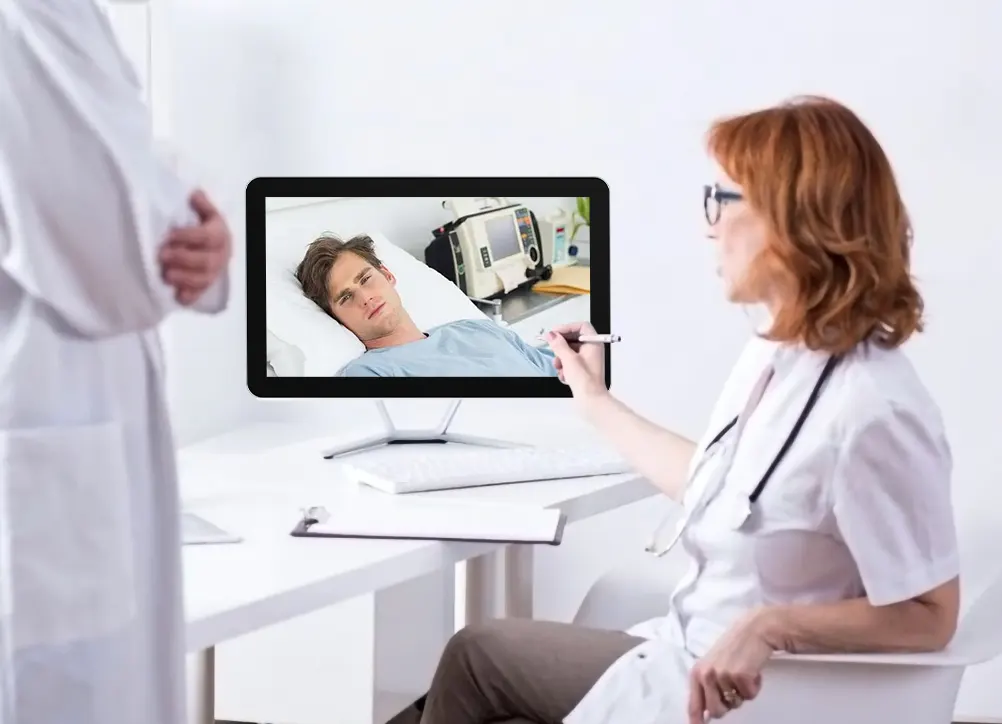
Healthcare Sector
In the healthcare sector, where patient care and staff communication are paramount, rugged touch screen monitors provide a reliable solution. These monitors are easy to clean and sanitize, ensuring a hygienic environment for patients and healthcare professionals. By enabling quick access to medical records and diagnostic tools, rugged touch screen monitors help improve patient care and streamline communication among staff members.
Retail and Hospitality
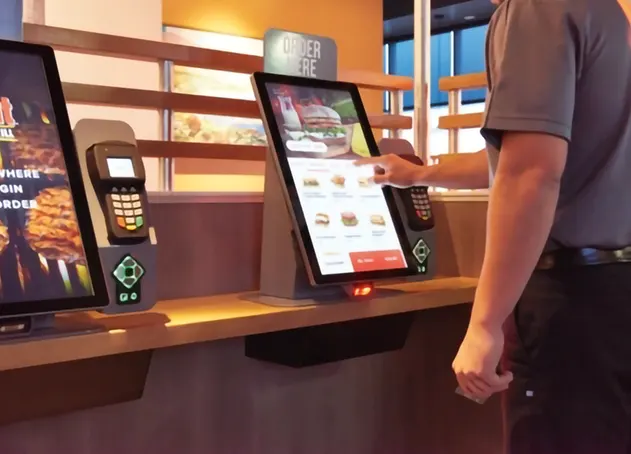
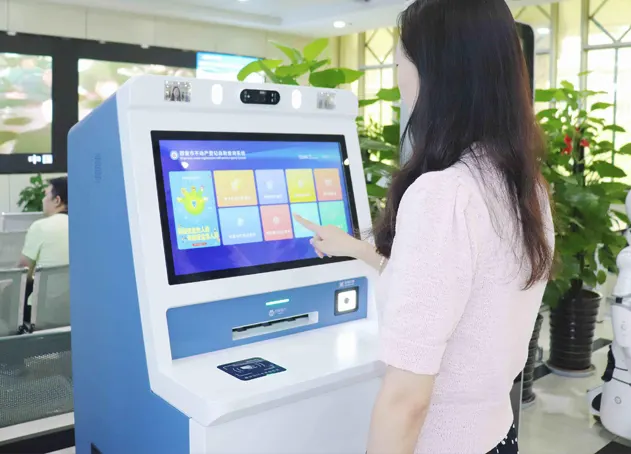
In the retail and hospitality sectors, customer experience is a top priority. Rugged touch screen monitors enhance the customer experience by providing interactive displays, self-service kiosks, and digital signage. These monitors also streamline operations for staff members, enabling faster transactions and better communication. By investing in rugged touch screen monitors, businesses can create a seamless and engaging environment for their customers.
Construction and Mining
The construction and mining industries are known for their harsh and challenging conditions. Rugged touch screen monitors are tough enough to withstand extreme temperatures, vibrations, and impacts. By providing real-time data and communication capabilities, these monitors improve safety and efficiency on job sites. Construction and mining companies can rely on rugged touch screen monitors to enhance productivity and ensure the well-being of their workers.
Oil and Gas Industry
Remote monitoring of operations is essential in the oil and gas industry. Rugged touch screen monitors are resistant to oil, chemicals, and corrosion, making them ideal for use in hazardous environments. By deploying these monitors in remote locations, companies can monitor production, equipment status, and safety protocols in real-time. Rugged touch screen monitors help oil and gas companies optimize their operations and ensure compliance with industry standards.
Importance of Choosing the Right Touch Screen Monitor
Enhanced Productivity
A properly selected touch screen monitor allows operators and industrial professionals to interact with machinery and control systems more efficiently. Intuitive touch interfaces enable quick access to data, controls, and settings, reducing the time spent navigating complex menus and commands. This heightened productivity translates into faster response times, increased throughput, and optimized industrial processes.
Streamlined Control and Monitoring
Touch screen monitors provide a visual and interactive interface for controlling and monitoring industrial processes. The right touch screen monitor with the appropriate size, resolution, and touch sensitivity ensures that operators can interact with critical data and make informed decisions swiftly. This streamlined control facilitates precise adjustments, minimizes errors, and enables real-time monitoring for better quality control.
Intuitive User Experience
Intuitive touch interfaces simplify the complexity of industrial tasks, making them more accessible to operators with varying levels of technical expertise. Familiar gestures and controls create a user-friendly experience, reducing the learning curve and increasing operator confidence. An intuitive touch screen monitor also lowers the risk of errors caused by misinterpretation or confusion.
Reliable Operation in Challenging Environments
Industrial settings can be harsh and demanding, subjecting equipment to various challenges like dust, moisture, vibrations, and temperature fluctuations. Choosing a rugged and durable touch screen monitor ensures reliable operation in such conditions, minimizing downtime and ensuring continuous productivity.
Improved Safety and Accuracy
The right touch screen monitor provides accurate touch sensitivity, critical for precise control in safety-critical applications. Accurate touch response reduces the risk of human error, which is especially crucial in industrial processes where safety is paramount.
Customization for Specific Applications
Different industrial applications have unique requirements, ranging from specialized gestures to specific communication protocols. Choosing a touch screen monitor that allows for customization ensures that the monitor can be tailored to meet the specific needs of the application, optimizing its functionality and performance.
Selecting the right touch screen monitor in industrial settings is not just a matter of preference; it directly impacts productivity, efficiency, and user satisfaction. A well-chosen touch screen monitor enhances productivity, streamlines control processes, and ensures reliable operation in challenging environments. An intuitive user experience, improved safety, and customization options tailored to specific applications further underscore the importance of making the right choice.
Selecting the Optimal Touch Screen Size for Industrial Applications
The touch screen size matters significantly in industrial settings due to its direct impact on usability, efficiency, and overall user experience.
The right touch screen size ensures that the display is optimized for the specific tasks and applications performed within the industrial environment.
Here's why touch screen size matters:
Usability and Interactivity: A properly sized touch screen allows for comfortable and effortless interaction. A screen that is too small may result in cramped buttons and controls, leading to misinputs and reduced efficiency. On the other hand, an excessively large screen may require excessive reaching or stretching, causing operator fatigue.
Data Visualization: Industrial processes often involve the display of complex data, graphs, and visuals. Choosing an appropriate touch screen size ensures that information is presented clearly and legibly, facilitating easy data interpretation and decision-making.
Ergonomics and User Comfort: The touch screen size should align with the ergonomic layout of the industrial workspace. Considerations such as viewing distance and user interface accessibility are crucial for minimizing operator strain and discomfort.
Multitasking and Multi-Monitor Setups: In some industrial applications, operators may need to multitask or use multiple touch screen monitors simultaneously. Optimal touch screen size allows for seamless multitasking without compromising on usability and clarity.
Integration and Space Constraints: The touch screen size should be compatible with existing mounting options and available space in the industrial environment. Ensuring a proper fit within the workspace allows for seamless integration and efficient use of available resources.
The touch screen size is a critical factor in industrial settings as it directly influences usability, data visualization, user comfort, multitasking capabilities, and integration within the workspace. Choosing the right touch screen size ensures that operators can interact with the display efficiently and effectively, enhancing productivity and user satisfaction in the industrial environment.
Here are the key points to consider:
Application Requirements
Determine the specific tasks and applications the touch screen monitor will be used for. Consider the amount of information and data that needs to be displayed on the screen.
Ergonomics and User Interface
The touch screen size should be suitable for the ergonomic layout of the industrial workspace. Consider factors such as viewing distance and user interaction.
Physical Constraints
Evaluate the available space and mounting options in the industrial environment to ensure the touch screen monitor fits seamlessly into the existing setup.
Readability and Clarity
Larger touch screen sizes generally offer better readability and clarity, especially when displaying complex graphics or detailed data.
Multi-Monitor Configurations
For applications that require multiple monitors, consider the feasibility and practicality of integrating multiple touch screen monitors into the workspace.
Cost Considerations
Larger touch screen monitors may come with higher costs. Balance the budget constraints with the functional requirements of the industrial application.
FAQ
Q: What is the most common type of touch screen monitor technology?
Q: How does a touch screen monitor work?
Q: Can all types of touch screen monitors support multi-touch functionality?
Q: Are touch screens sensitive to scratches and damage?
Q: Which touchscreen technology is suitable for industrial environments?
Q: Who is the inventor of touchscreen technology and how did he developed it?
FAQ
Q: How do you maintain a touch screen
Q: How long do touch screens last?
Q: What are the common problems with touch screen?
Q: Why are touch screen monitors so expensive?
Q: How reliable is capacitive touch screen?
Q: Is touchscreen with a desktop worth it?
As one of the leading industrial touch screen monitor manufacturers and suppliers in China, we warmly welcome you to wholesale high-grade industrial touch screen monitor from our factory. All customized products are with high quality and competitive price.
10 4 Inch Open Capacitive Touch Screen, 17 Inch Industrial Display, 21 5 inch Embedded Industrial Touch Screen Display